
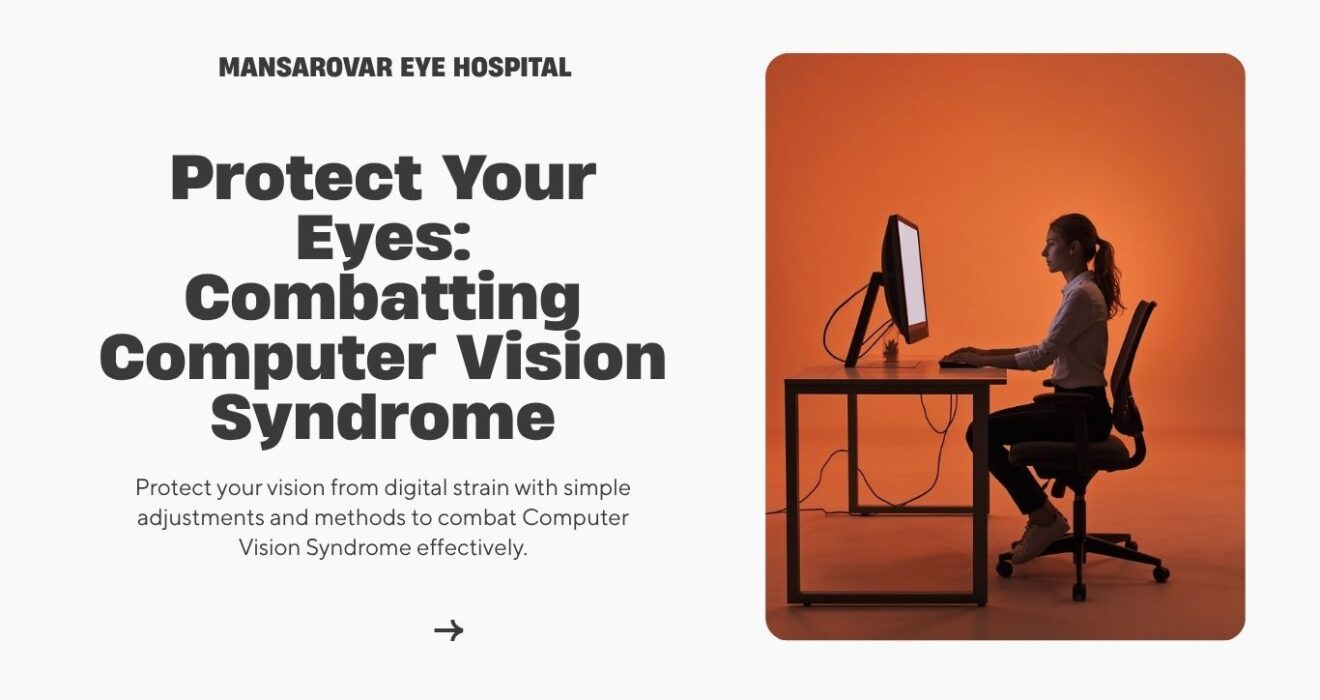
How Can You Protect Your Eyes From Computer Vision Syndrome
How Can You Protect Your Eyes From Computer Vision Syndrome
Take a moment and think about your day. How Can You Protect Your Eyes From Computer Vision Syndrome You probably start your morning by checking your phone, spend several hours working on a laptop or desktop, reply to messages, scroll through social media, and then unwind by watching videos or your favorite TV series. Screens have become an essential part of modern life, but our eyes haven’t evolved to keep up with this level of digital exposure.
If your eyes often feel tired after work, become dry by evening, or you notice blurred vision after using your computer for long hours, you’re not alone. These are common signs of Computer Vision Syndrome (CVS), also known as Digital Eye Strain.
Today, Computer Vision Syndrome affects people of all ages—from students attending online classes to IT professionals, office employees, gamers, designers, and business owners. The good news is that most cases can be managed with healthier screen habits, regular eye checkups, and timely advice from an experienced eye specialist.
In this article, you’ll learn what Computer Vision Syndrome is, why it happens, its common symptoms, who is most at risk, and what you can do to protect your eyesight while continuing to use digital devices every day.
What Is Computer Vision Syndrome? How Can You Protect Your Eyes
Computer Vision Syndrome is not a single eye disease. Instead, it refers to a collection of eye and vision problems that develop after prolonged use of digital screens.
Common devices that can trigger Computer Vision Syndrome include:
- Desktop computers
- Laptops
- Smartphones
- Tablets
- Television screens
- E-readers
Unlike reading a printed newspaper or book, digital screens constantly challenge your eyes. Small text, changing brightness levels, screen glare, continuous focusing, and reduced blinking make your eye muscles work harder than usual.
While Computer Vision Syndrome usually doesn’t cause permanent damage to your eyesight, it can affect your daily comfort, reduce productivity, and make routine tasks feel more tiring if left unmanaged.
Why Does Too Much Screen Time Cause Eye Strain?
Your eyes naturally blink around 15–20 times every minute. Each blink spreads a thin layer of tears across the surface of your eyes, keeping them moist, clear, and comfortable.When you’re focused on a screen, your blink rate often drops significantly. Without enough blinking, your eyes begin to dry out, leading to irritation, burning, and discomfort.
How Can You Protect Your Eyes At the same time, your eye muscles stay focused on a single distance for long periods without much variation. Over time, this continuous effort can lead to fatigue and the symptoms commonly associated with Computer Vision Syndrome.
Several everyday factors make digital screens more demanding on your eyes:
- Long, uninterrupted screen sessions
- Bright or poorly adjusted displays
- Glare from windows or overhead lights
- Small fonts that require extra concentration
- Holding your phone too close to your face
- Poor sitting posture while working
- Existing vision problems that haven’t been corrected
The longer these habits continue without breaks, the more noticeable the symptoms usually become.
Common Symptoms of Computer Vision Syndrome
Everyone experiences Computer Vision Syndrome differently, but certain symptoms are especially common.
Tired or Heavy Eyes
Many people notice that their eyes feel tired by the end of the workday. Some describe it as heaviness around the eyes, while others simply feel that their vision isn’t as comfortable as it was earlier in the day.
Dry, Burning Eyes
Reduced blinking allows tears to evaporate more quickly, leaving the eyes dry and irritated. You may also feel a gritty sensation, as though something is stuck inside your eye.
Blurred Vision
Have you ever looked away from your laptop and noticed that distant objects appear blurry for a few seconds? Temporary blurred vision is a common symptom of digital eye strain.
Frequent Headaches
Eye muscles work continuously while focusing on digital screens. Over time, this extra effort may trigger headaches, especially after several hours of computer use.
Neck and Shoulder Pain
Computer Vision Syndrome doesn’t affect only your eyes. Sitting with poor posture or positioning your screen incorrectly often leads to neck stiffness, shoulder pain, and upper back discomfort.
Difficulty Refocusing
After staring at a screen for a long time, your eyes may take a little longer to shift focus from near objects to distant ones.
Increased Sensitivity to Light And How Can You Protect Your Eyes
Some people become more sensitive to bright lights or sunlight after extended screen use.If these symptoms occur regularly rather than occasionally, it’s worth scheduling a comprehensive eye examination instead of simply ignoring them.
Who Is Most at Risk? How Can You Protect Your Eyes
Computer Vision Syndrome can affect anyone who spends several hours looking at digital devices. However, some people are more likely to develop symptoms than others.
Office Professionals
Many office employees spend eight or more hours each day working on computers. Continuous meetings, emails, spreadsheets, and presentations can place constant stress on the eyes.
IT Professionals
Software developers, programmers, cybersecurity experts, and data analysts often spend the majority of their working hours looking at multiple monitors, making them particularly vulnerable to digital eye strain.
Students
Online learning, digital assignments, and educational apps have significantly increased screen exposure among children and college students.
Gamers
Gaming sessions often involve intense concentration and very few breaks, leading to tired, dry eyes.
Graphic Designers and Video Editors
Creative professionals regularly work with detailed visuals and high-resolution screens for long periods, increasing visual fatigue.
People Working From Home
Remote work has blurred the line between office and personal time. Many professionals now spend even longer hours on digital devices than they did before.
Can Computer Vision Syndrome Permanently Damage Your Eyes?
This is one of the questions eye specialists hear most often.
The reassuring news is that Computer Vision Syndrome itself usually does not cause permanent vision loss.
However, that doesn’t mean it should be ignored.
Persistent eye strain can affect your work performance, reduce concentration, cause recurring headaches, disturb your sleep, and make everyday activities less comfortable. In some cases, what seems like simple screen fatigue may actually be an uncorrected vision problem or an underlying eye condition that needs professional attention.
If your symptoms continue despite taking regular breaks, it’s a good idea to have your eyes examined rather than assuming they’ll improve on their own.
How Is Computer Vision Syndrome Diagnosed?
Diagnosing Computer Vision Syndrome involves much more than checking whether you need glasses.
During a comprehensive eye examination, your ophthalmologist may evaluate:
- Your visual acuity
- Whether you need prescription glasses
- Eye focusing ability
- Eye muscle coordination
- Tear film quality
- Signs of dry eye disease
- Overall eye health
- Retina and optic nerve health, if required
These tests help identify the real reason behind your symptoms and ensure that more serious eye conditions are not overlooked.
Why Regular Eye Checkups Are Important & How Can You Protect Your Eyes
How Can You Protect Your Eyes ,Many people accept tired eyes as a normal part of using computers every day. While occasional eye strain is common, persistent discomfort should never become your “new normal.”
Regular eye checkups can identify problems early, often before they begin affecting your daily life.
An experienced eye specialist can recommend the right treatment based on your individual needs. This may include prescription glasses, computer glasses, lubricating eye drops, workplace ergonomic changes, or lifestyle adjustments that make screen use more comfortable.
If you live in or around Lucknow and spend long hours using digital devices, scheduling routine eye examinations can help protect your vision and reduce the risk of ongoing eye strain.
At Mansarovar Eye Hospital, comprehensive eye evaluations are performed using advanced diagnostic technology, helping patients receive accurate diagnoses and personalized treatment plans for a wide range of eye conditions.
How to Protect Your Eyes from Too Much Screen Time
How Can You Protect Your Eyes ,The good news is that you don’t have to stop using your laptop, smartphone, or tablet to keep your eyes healthy. A few simple changes to your daily routine can make a noticeable difference. These habits help reduce eye strain, improve comfort, and support long-term eye health.
1. Follow the 20-20-20 Rule
How Can You Protect Your Eyes ,If you spend most of your day in front of a screen, the 20-20-20 rule is one of the easiest habits you can adopt.
Every 20 minutes, look at something about 20 feet away for 20 seconds. This short break gives your eye muscles a chance to relax after focusing on a screen for an extended period.
It may sound simple, but following this rule consistently can significantly reduce digital eye strain over time.
2. Remember to Blink
How Can You Protect Your Eyes ,Most people don’t realize they blink much less while working on a computer or using a smartphone.
Blinking naturally spreads tears across the surface of your eyes, keeping them moist and comfortable. When you blink less often, your eyes can become dry, irritated, and tired.
Make it a habit to blink consciously, especially during long work sessions.
3. Position Your Screen Correctly
Your workstation setup plays an important role in preventing eye strain.
For comfortable viewing:
- Keep the monitor about an arm’s length away.
- Position the screen slightly below eye level.
- Avoid placing the monitor directly in front of a bright window.
- Adjust the chair so your neck and shoulders remain relaxed.
A properly arranged workspace reduces strain on both your eyes and your body.
4. Adjust Screen Brightness
An overly bright screen can be just as uncomfortable as one that’s too dim.
Your screen brightness should blend naturally with the lighting in your room. Increasing text size and maintaining good contrast can also make reading easier and reduce unnecessary stress on your eyes.
5. Reduce Screen Glare
How Can You Protect Your Eyes , Glare is one of the most common causes of visual discomfort.
You can reduce glare by:
- Closing curtains when sunlight falls directly on your screen.
- Positioning your monitor away from windows.
- Using an anti-glare screen filter if required.
- Choosing proper indoor lighting instead of harsh overhead lights.
Small adjustments like these often make long working hours much more comfortable.
6. Take Short Breaks Throughout the Day
How Can You Protect Your Eyes ,Even if you enjoy your work, sitting continuously in front of a computer isn’t good for your eyes or your posture.
Every hour, stand up for a few minutes. Stretch your body, walk around, or simply look outside the window. These breaks help your eye muscles relax while improving blood circulation throughout your body.
7. Stay Hydrated
Dry eyes are a common complaint among people who work in air-conditioned offices.
Drinking enough water throughout the day supports healthy tear production and helps keep your eyes naturally lubricated.
8. Eat Foods That Support Healthy Vision
Your diet has a direct impact on your eye health. How Can You Protect Your Eyes
Include foods rich in:
- Vitamin A
- Vitamin C
- Vitamin E
- Omega-3 fatty acids
- Zinc
- Lutein
- Zeaxanthin
Leafy green vegetables, carrots, sweet potatoes, citrus fruits, eggs, almonds, walnuts, and fatty fish like salmon are all excellent choices for maintaining healthy eyesight.
A balanced diet won’t eliminate Computer Vision Syndrome, but it supports healthier eyes in the long run.
9. Get Enough Sleep
After a full day of screen exposure, your eyes need time to recover. How Can You Protect Your Eyes, Poor sleep can worsen eye fatigue, dryness, and blurred vision. Aim for 7–8 hours of quality sleep every night to give your eyes the rest they deserve.
10. Wear the Right Glasses
If you already wear glasses, make sure your prescription is up to date. How Can You Protect Your Eyes, Even a minor change in your vision can increase eye strain during computer use. Some people also benefit from specially designed computer glasses. Your ophthalmologist can determine whether they’re suitable for your lifestyle and visual needs.
What About Blue Light? How Can You Protect Your Eyes
How Can You Protect Your Eyes ,Blue light from digital devices is often blamed for eye damage, but the reality is a little more balanced.
Current research suggests that the amount of blue light emitted by everyday screens is not known to cause permanent eye damage under normal use.
However, spending long hours on digital devices—especially before bedtime—can affect your sleep by disrupting your body’s natural sleep cycle.
Reducing screen time before bed, using night mode, and maintaining healthy digital habits are generally more beneficial than relying solely on blue-light filters.
When Should You See an Eye Specialist?
How Can You Protect Your Eyes ,Occasional eye fatigue usually improves after rest, but some symptoms shouldn’t be ignored.
Book an eye examination if you experience:
- Persistent blurred vision
- Frequent headaches
- Dry or watery eyes that don’t improve
- Double vision
- Eye pain
- Continuous redness
- Difficulty focusing
- Increased sensitivity to light
- Sudden flashes or floaters
These symptoms may be related to Computer Vision Syndrome, but they can also indicate other eye conditions that require professional evaluation.
Expert Eye Care at Mansarovar Eye Hospital, Lucknow
How Can You Protect Your Eyes ,If your eyes frequently feel tired after screen use or you’re experiencing ongoing vision-related discomfort, it’s important to seek professional advice instead of relying on home remedies alone.
At Mansarovar Eye Hospital, Lucknow, patients receive comprehensive eye care from experienced ophthalmologists using advanced diagnostic technology. Every patient is carefully evaluated to identify the exact cause of their symptoms before recommending a personalized treatment plan.
Whether you need a routine eye checkup, dry eye treatment, prescription glasses, or care for cataracts, glaucoma, retina disorders, corneal diseases, or other vision concerns, the hospital offers comprehensive eye care under one roof.
Regular eye examinations are one of the best ways to protect your vision, especially if your daily routine involves long hours in front of digital screens.
Final Thoughts
How Can You Protect Your Eyes , Digital devices have become an unavoidable part of work, education, and entertainment. While they make life more convenient, excessive screen time can place continuous stress on your eyes if healthy habits are ignored.
Fortunately, protecting your eyesight doesn’t require major lifestyle changes. Simple practices such as following the 20-20-20 rule, blinking more often, maintaining proper posture, adjusting your workstation, eating a nutritious diet, staying hydrated, and scheduling regular eye checkups can make a significant difference.
If your symptoms continue despite making these changes, don’t ignore them. An eye examination can identify the underlying cause and help you receive the right treatment before minor discomfort develops into a bigger problem.
Healthy vision is essential for every stage of life, and taking care of your eyes today can help you enjoy clearer, more comfortable vision for years to come.
Frequently Asked Questions
What is Computer Vision Syndrome?
How Can You Protect Your Eyes From Computer Vision Syndrome, It is also called Digital Eye Strain, refers to a group of eye and vision problems caused by prolonged use of computers, smartphones, tablets, and other digital devices.
Can screen time permanently damage my eyes?
Computer Vision Syndrome itself usually doesn’t cause permanent vision loss, but prolonged screen use can lead to discomfort and may uncover existing vision problems that need treatment.
How can I reduce eye strain while working on a computer?
Follow the 20-20-20 rule, blink regularly, adjust your screen brightness, reduce glare, maintain proper posture, and take short breaks throughout the day.
Is the 20-20-20 rule really effective?
Yes. Eye care professionals commonly recommend it To How Can You Protect Your Eyes, because it helps relax your eye muscles and reduces digital eye strain.
Why do my eyes become dry while using a laptop?
People blink less frequently while concentrating on screens, causing tears to evaporate faster and leading to dry, irritated eyes.
Should I wear blue-light glasses?
How Can You Protect Your Eyes , Not everyone needs them. If you’re experiencing ongoing eye strain, consult an eye specialist to determine whether special computer glasses or other treatments are appropriate.
How often should I get my eyes checked? How Can You Protect Your Eyes
Adults should generally have a comprehensive eye examination every one to two years, or more frequently if advised by their ophthalmologist.
Where can I get treatment for Computer Vision Syndrome in Lucknow?
How Can You Protect Your Eyes If you’re experiencing persistent symptoms of digital eye strain, consult the experienced ophthalmologists at Mansarovar Eye Hospital, Lucknow for a comprehensive eye examination and personalized treatment.